Detailed
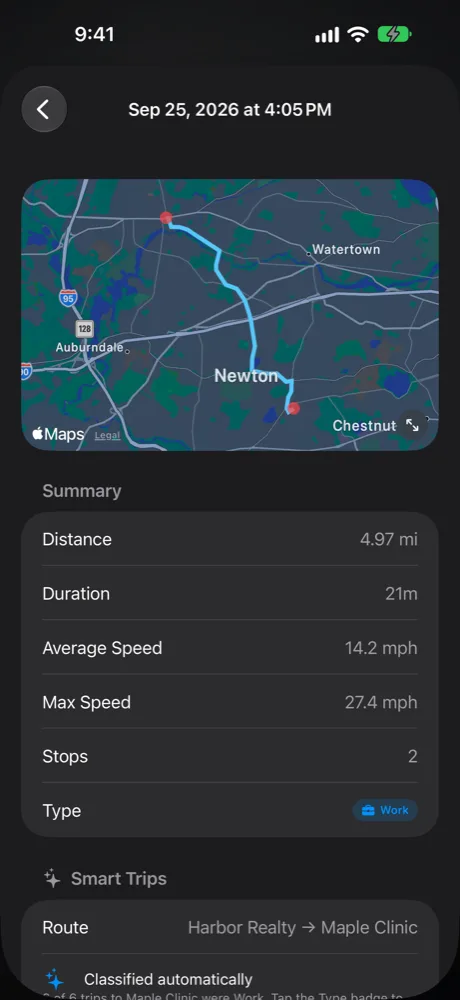
Trip by trip: date, times, distance, start and end addresses, stops, Work or Personal, business purpose, and parking and tolls per trip. Driver and vehicle in the header.
PDF · CSV
 OnMiles
Reports
Mileage logs, expense lists and tax summaries for any period, created on your phone as PDF or CSV and shared wherever you choose.
Six ways to report
Mileage reports come from Report on the Tracker screen. Tax reports come from Reports in Taxes & Expenses. Every report exports as PDF, and most also as CSV for spreadsheets and tax software.
Trip by trip: date, times, distance, start and end addresses, stops, Work or Personal, business purpose, and parking and tolls per trip. Driver and vehicle in the header.
PDF · CSV
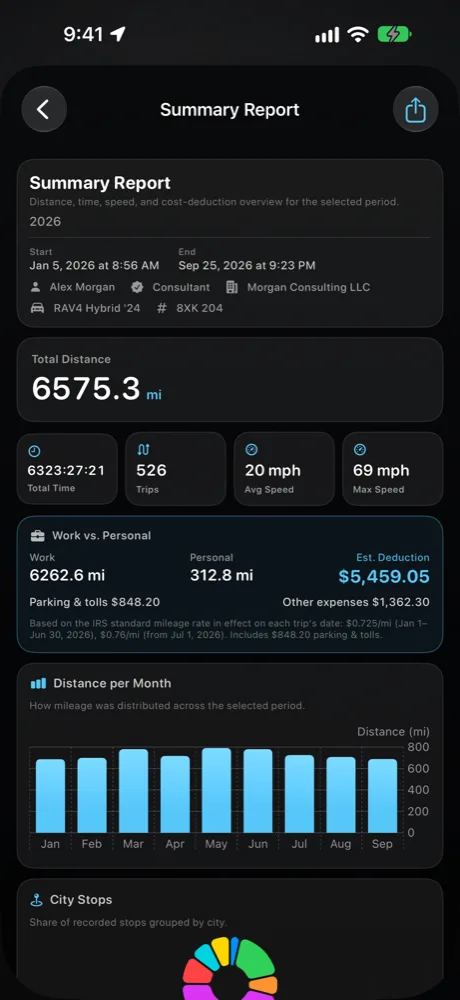
The period at a glance: total miles, trips, time, speeds, the Work vs Personal split, estimated deduction, distance per month and the cities you stopped in.
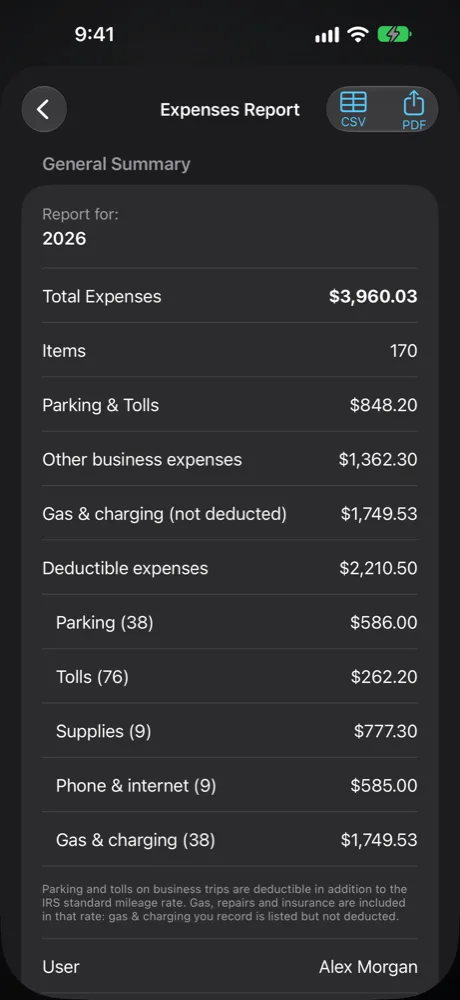
Every expense with totals by category: parking and tolls, other business expenses, and gas and charging (listed but not deducted).
PDF · CSV
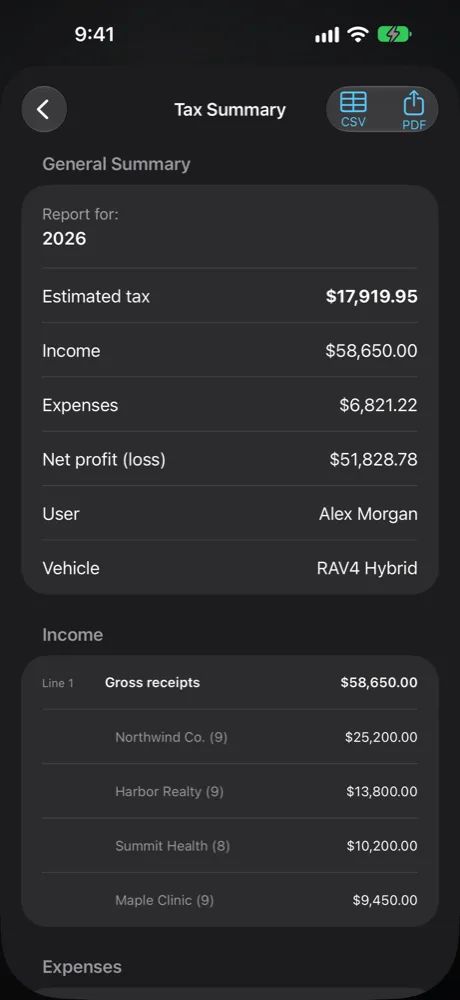
Your income and deductions arranged like IRS Schedule C, with net profit, estimated tax, Work and Personal miles and the quarterly estimates.
PDF · CSV
Every payment received in the period, with totals by payer.
PDF · CSV
Tax Summary, Income and Expenses as PDF, plus your income, expenses and trips as CSV, in one share for your tax preparer.
PDF + CSV bundle
IRS-ready log
IRS Publication 463 asks for timely kept records showing the time, place and business purpose of your travel. OnMiles builds that record during the trip, not from memory later.
| The IRS asks for | OnMiles records |
|---|---|
| When | Date, start and end time of every trip |
| Where | Start and end addresses, and each stop along the way |
| How much | Miles measured by GPS, with the route on a map |
| Why | Work or Personal, and the business purpose you add |
| Extra costs | Parking and tolls per trip, deductible on top of the mileage rate |
Commuting between home and a regular workplace isn't deductible business mileage. Mark those trips Personal. See IRS Publication 463.
Mileage rate
When the IRS changes the standard mileage rate during the year, OnMiles uses the rate that was in effect on each trip's date, and the report lists the rates it used. You can also set your own rate, for example your employer's reimbursement rate.
How it works
Before export
Driver and vehicle details go into every report header. Purpose suggestions and Smart Trips fill in the business context as you go.
After export
Reports are created on your phone and shared with the system share sheet. OnMiles never uploads them to its own server. Mileage and expense PDFs show when they were generated.
Ready at tax time